
For iPhone, iPad, Mac and Apple Watch
The shopping list that knows your way through the store.
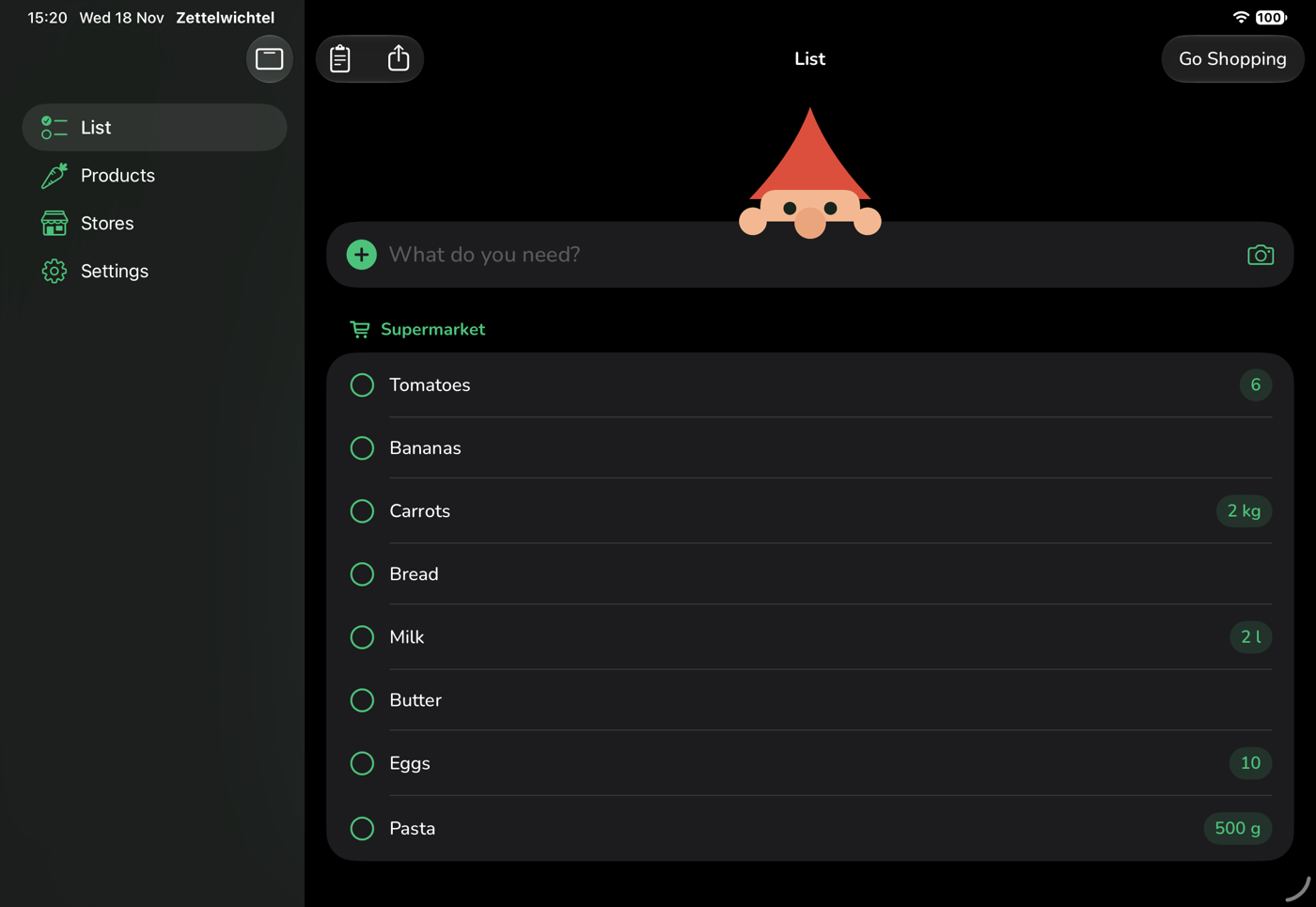
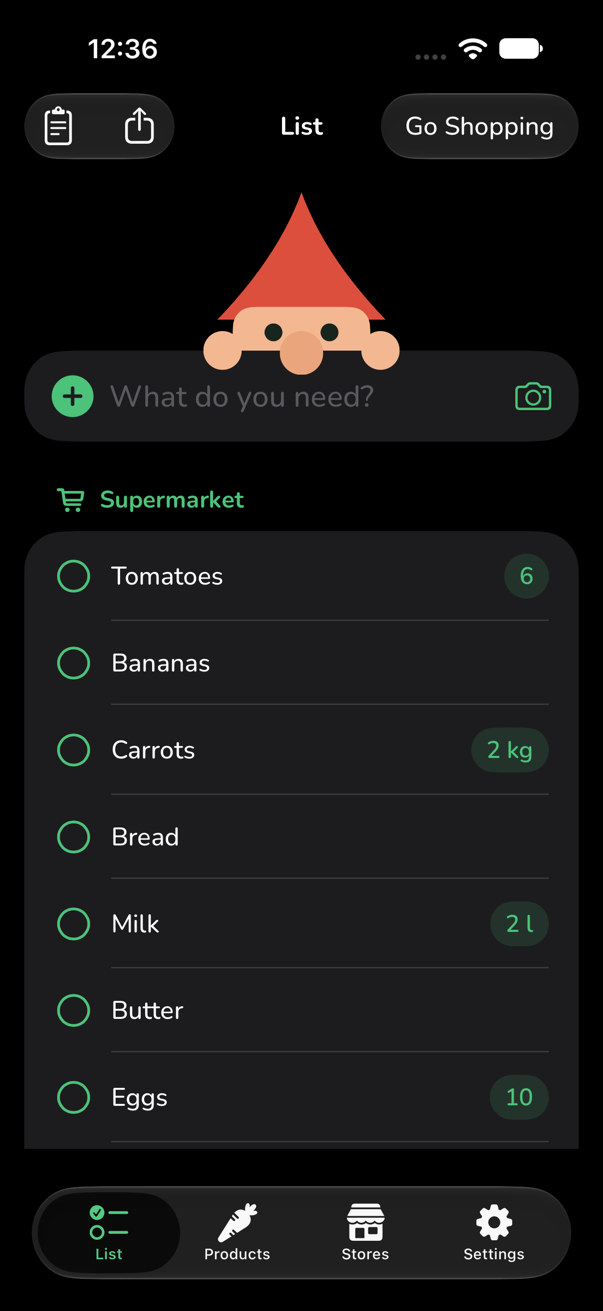
Zettelwichtel sorts your shared list the way you walk through your supermarket. Everyone in the household sees the same list, on every device, up to date within seconds.
No account, no ads, no tracking. Your data stays in your own iCloud.
Less back and forth in the store
Set up once, every trip comes in the right order. Nothing forgotten, nothing bought twice.
-
A route for every store
Each store has its own order. Drag products to their place once, and the list sorts itself from then on.
-
Shared household
One invitation is enough. Whatever someone adds or checks off shows up for everyone else at once.
-
“I’m going shopping”
Let the others know before you leave. Last wishes land right on the list, even while you are already in the store.
-
Quick to add
“2 kg carrots” or “6x yoghurt”: the app recognises amount and product, even with typos and other names.
-
Add by photo
A photo of the empty package is enough. Zettelwichtel recognises the product by barcode, text or picture and asks to confirm.
-
Exactly this package
A photo with the product shows everyone in the household which kind is meant.
-
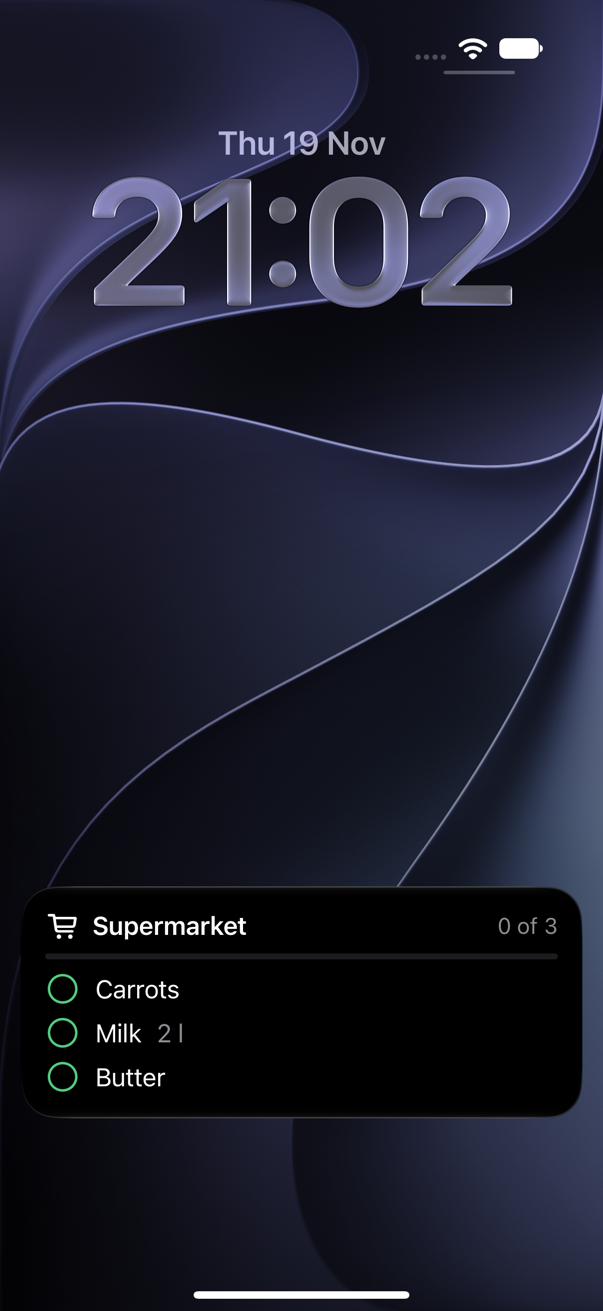
On the lock screen
In the store your iPhone shows the next entries without unlocking. One tap checks off, and the next entry moves up.
-
Loyalty cards at hand
Take a photo of the card once, show it large and bright at the checkout. For everyone in the household.
-
Templates
The weekly shop or the barbecue as a template: on the list with one tap, and what is already there stays.
-
On your wrist
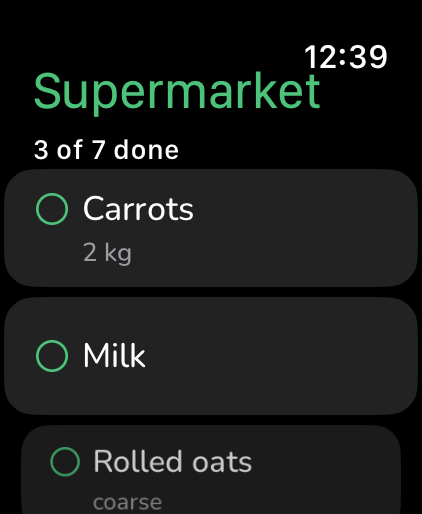
On Apple Watch the trip in progress comes in the order of the store. One tap checks off, and your iPhone stays in your pocket.
-
Hint at the store
If you like, your iPhone lets you know when you arrive at one of your stores and something for it is on the list. Your location stays on the device.
-
Share and print
Send the list as text to someone without the app, or put it on paper with boxes to tick.
-
With Siri
“Add milk to the shopping list”: what you dictate to Siri is taken over from the Reminders list. Whole templates go on the list by voice too.
-
On all your devices
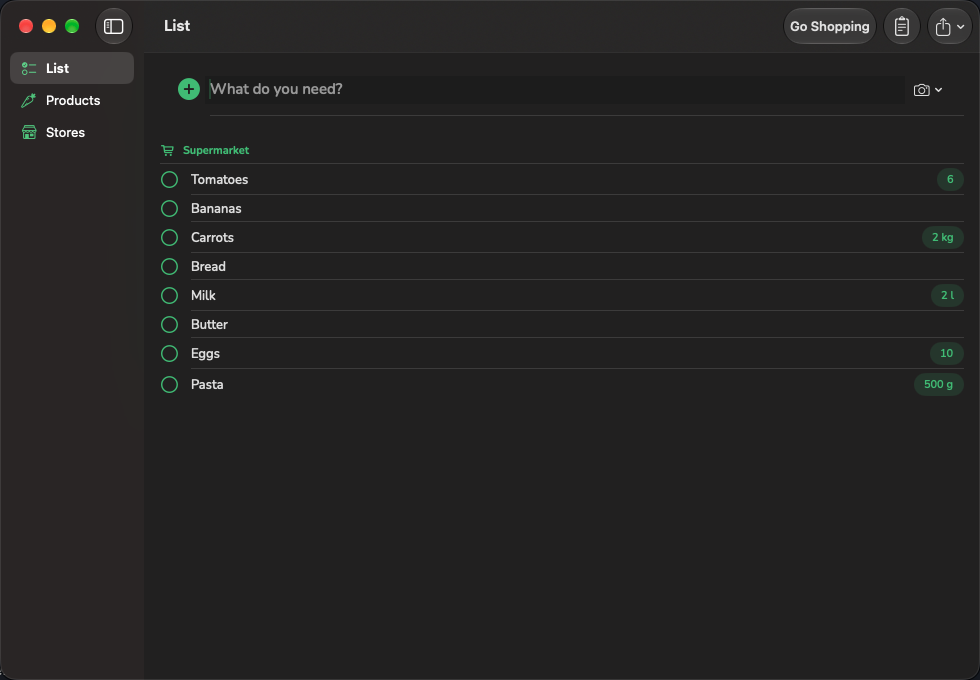
iPhone and Apple Watch in the store, iPad in the kitchen, Mac at the desk. With keyboard shortcuts and windows of their own on the Mac.
-
Private by design
No server of our own, no account, no analytics. Everything stays on your devices and in your iCloud.
Made for real shopping
Your store, your order
Fruit at the entrance, frozen food at the end? Zettelwichtel remembers where products are in every store.
- New products land next to similar ones by themselves.
- Entries can also be dragged to the right place directly on the list.
- Categories of your own per kind of store: nobody needs “Dairy” at the hardware store.
Somewhere else today
On holiday or in the other supermarket around the corner, the list comes ordered by category. While you check off, the new store learns its order by itself.
- Sold out? A swipe hides the entry for today; it stays on the list.
- Large rows and undo after every check, in case the thumb slips.
- The top line says how far you are: “5 of 12 done”.
A photo instead of typing
The last package is empty: take a photo, confirm, done. Recognition runs entirely on your device.
- A barcode remembered once is recognised at once the next time.
- If you like, the open database Open Food Facts names the product for an unknown barcode.
- Nothing goes on the list without your confirmation.
Everything at hand at the checkout
Your loyalty card waits at the top of the trip. One tap shows the code large and bright, for everyone in the household.
- Add a card: scan the code with the camera, take a photo or type the number.
- Every card belongs to the stores where it is valid.
Check off without unlocking
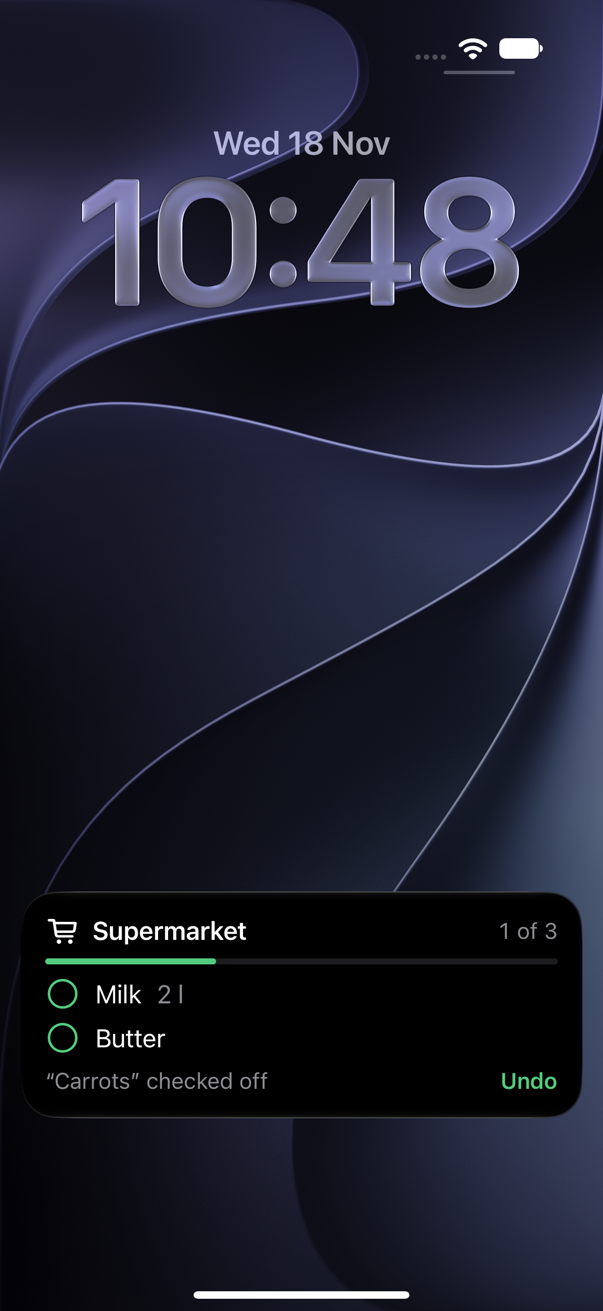
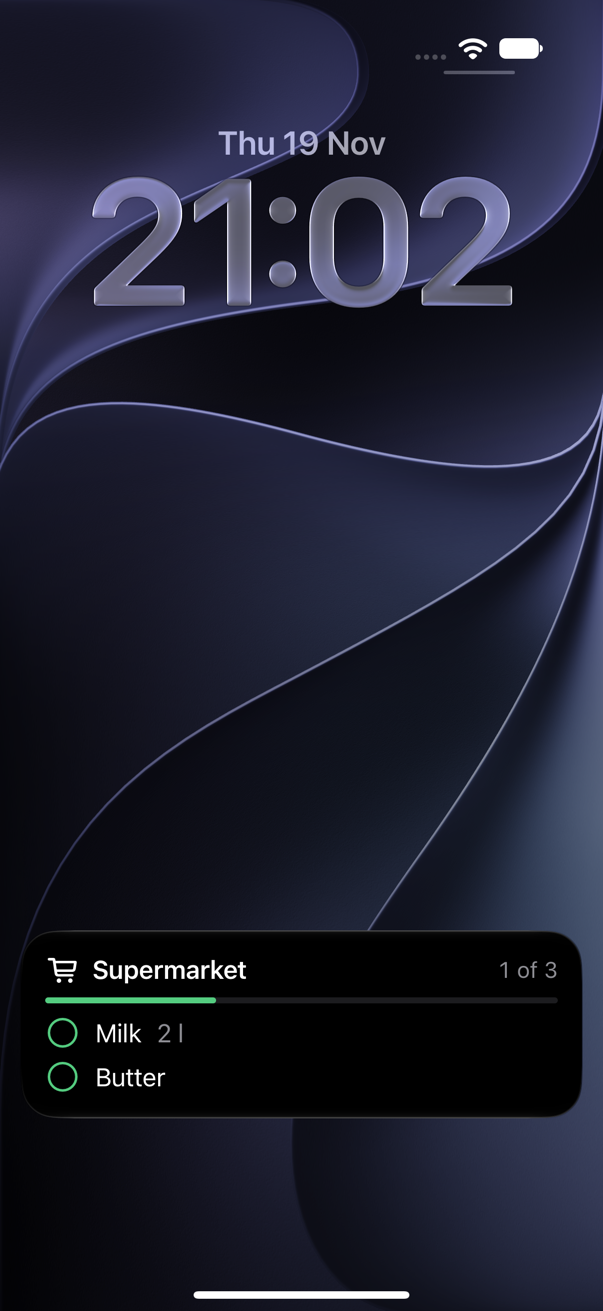
Once the trip is running, the lock screen shows the next entries in the order of the store. The iPhone stays locked, one hand is enough.
- A tap on the circle checks off, and the next entry moves up.
- Tapped the wrong one? “Undo” sits right below for a few seconds.
- The bar shows how far you are.
The same list everywhere
Plan on the Mac, add things on the iPad in the kitchen, shop with iPhone and Apple Watch. What you change on one device is on all the others seconds later.
Ready in three steps
Create a household
Tell the app where you shop. Around 200 common products are already included.
Invite
Send an invitation by message. Whoever taps it sees the same list right away.
Shop
Add, go, check off. Refine the route along the way whenever something is in the wrong place.
Your list belongs to you
Zettelwichtel has no server of its own. The list lives on your devices and in your iCloud and is shared only with the people you invite yourself. The app collects no usage data and shows no ads.